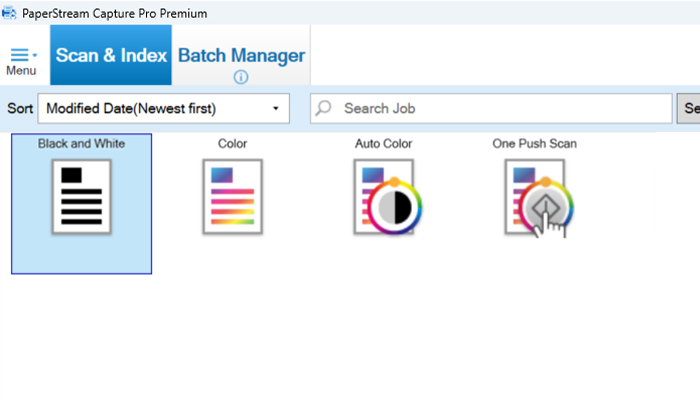
One-push scan profile
For a quick ad‑hoc scan, any user can simply press the one‑push scan button. A PDF with default settings is sent to the user’s Documents folder.
There is no need to think about job settings or scan‑profile configuration - the ultimate in simplicity and the ideal starting point for new users.
QC is optional, with flexibility to change the destination and filename if required.
Simple scan mode
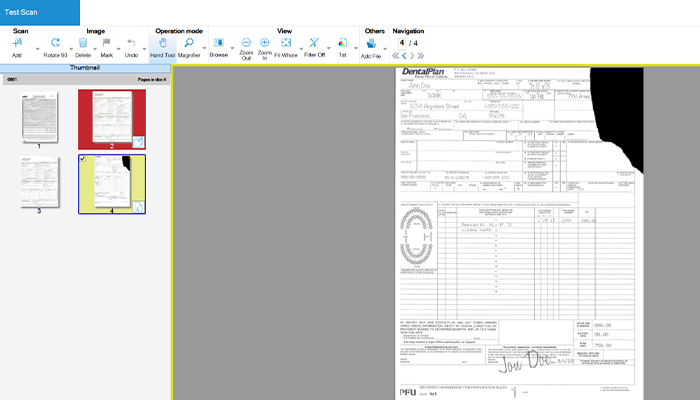
Automatic image‑quality check highlights potential issues on a scanned document during the QC stage.
It allows operators to quickly identify and resolve QC issues with a specific scan.
Potential image‑quality issues are marked in yellow, multi‑feed errors in red, blank pages in black and automatic profile selection in purple.
Easy setup mode
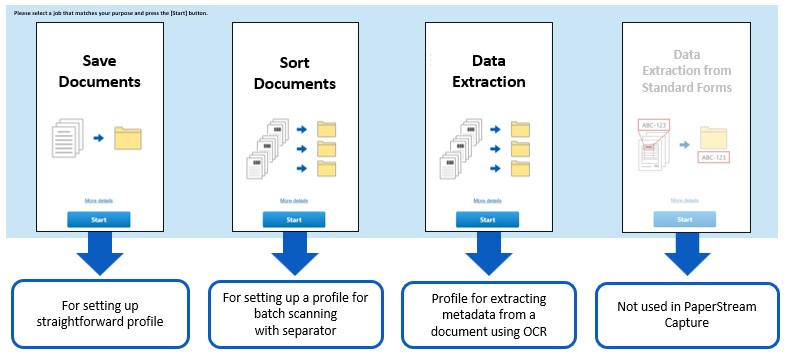
Simplifies scanner setup for workflow operations using Batch Manager.
Enables easy creation of batch‑scan job profiles tailored to specific use cases.
Ideal for users who are new to batch scanning and want to get up and running quickly.
Automation can be set for three functional areas:
- Save documents
- Sort documents
- Data extraction from documents.*
*PaperStream Capture Pro & Pro Premium allow a fourth function: data extraction from standard forms.
For example, choosing Save documents guides the user through three pages to confirm scan settings, file format and destination.
Once the profile is created, scanning with it is straightforward - simply press its virtual profile button on the job menu.
Full batch scan mode
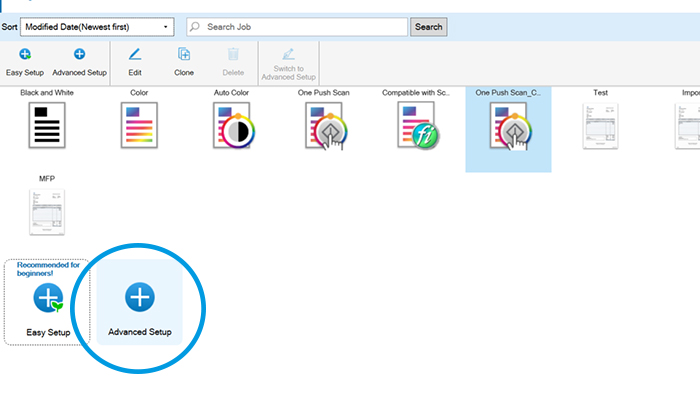
Advanced setup mode is the powerful, programmable workflow tool for creating scan jobs in PaperStream Capture.
It is ideal for advanced users familiar with batch scanning who want to leverage all available variables in PaperStream Capture.
Once configured, jobs can be run in Batch Manager.
A fully programmable workflow tool for maximum control.