
PaperStream IP: The foundation of high quality scanning
PaperStream IP is the Windows driver for RICOH Image Scanners. Producing the ultimate in image quality and digitisation efficiency, it enables Ricoh scanner solutions to reduce operational costs and support downstream processing. Cleaner, sharper images deliver industry-leading OCR accuracy, while optimised file sizes mean faster, lower-cost storage and access.
Feature Summary
Exceptional Quality Images
Consistently high-quality images for faster, lower-cost operations
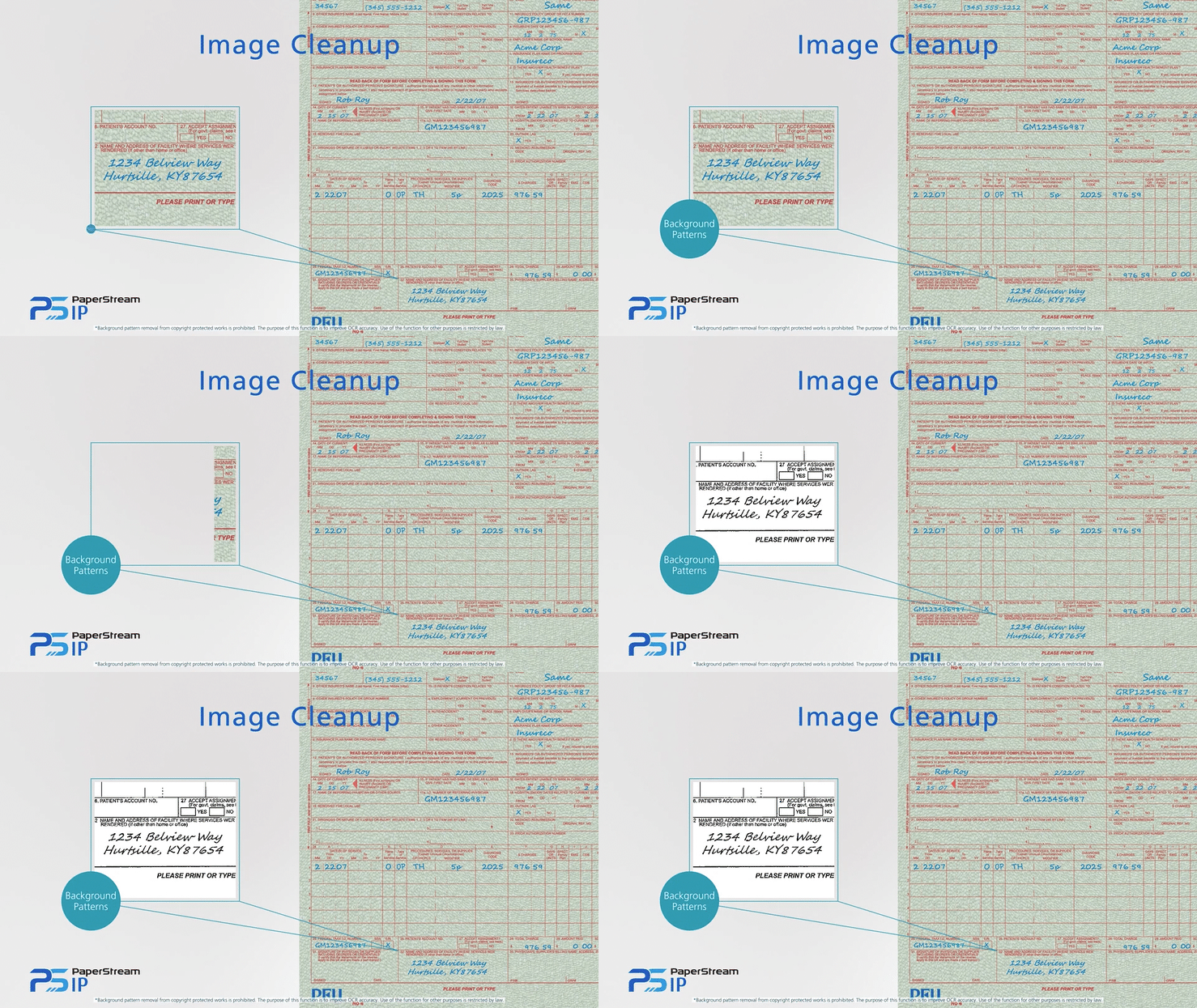
Powerful automatic image clean up
The combination of iDTC & Advanced Cleanup Technology maximises image quality by removing background noise and enhancing black and white characters. The result is optimised file sizes for faster, lower-cost storage and access.
Automatic image correction
Features such as auto-rotation, auto de-skew/auto crop, blank page detection and automatic front-side detection for passports & ID cards, combine to deliver the ideal image.
Hole punch removal and edge repair
Hole-punches are filled in – in both colour and black and white – and rough document edges are corrected with small tears removed.
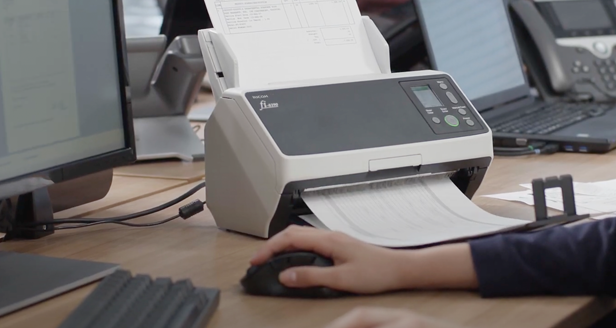
Maximise Digitisation Efficiency
Cut digitisation costs through better processing
Advanced Cleanup Technology
Removal of noise, stains, watermarks and red stamps means highest data accuracy for OCR processing
AssistedScan
Visual results-based profile reconfiguration minimises need to rescan, even for on-the-fly scanning requirements
MRZ recognition functionality
For all PaperStream Capture family applications
Simple Operation
Easy to implement, easy to operate for immediate productivity
Step-by-step profile creation
Intuitive admin menus and interfaces save time creating scanning profiles.
Assisted Scan
Visual, results based interface means quick profile configuration without the need to learn and manipulate advanced driver settings.
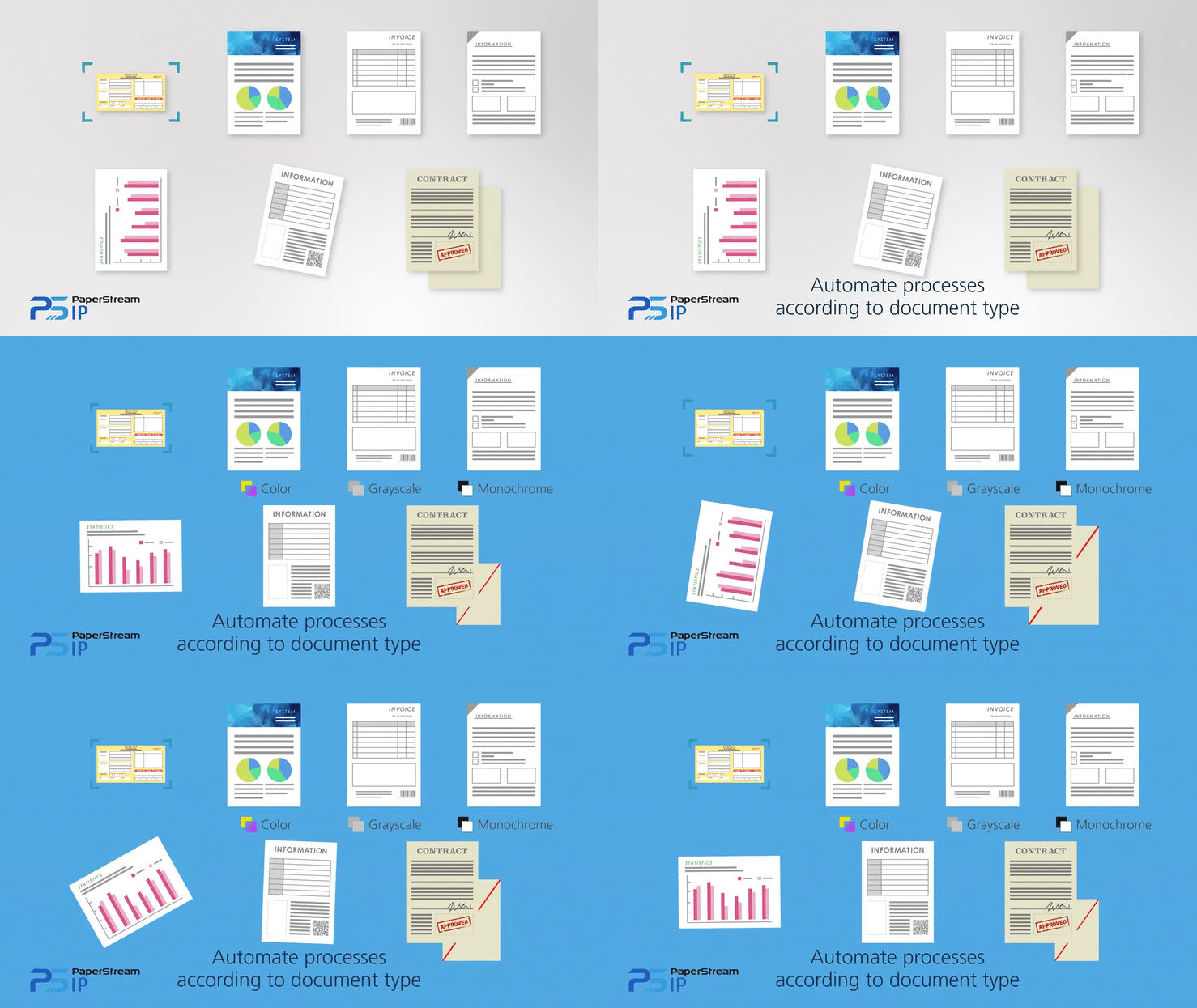
Automatic Profile Selection
Configure to automatically select correct scan profile for pre-defined form types.
Automatic Front-Side Detection
When scanning ID cards, PaperStream’s Automatic Front-Side Detection ensures these types of documents are scanned accurately without the need for additional configuration.
Seamless integration
PaperStream IP can be paired effortlessly with other PaperStream software such as PaperStream Capture. An SDK is also available for custom integrations.
Technical Specifications
| Supported Scanner Models | |
| Workgroup | SP-1120N / SP-1125N / SP-1130N / SP-1425 / fi-70F / fi-800R / fi-8040 / fi-8150 / fi-8170 / fi-8250 / fi-8270 / fi-7300NX |
| Departmental | fi-8190 / fi-8290 / fi-7460 / fi-7480 |
| Production | fi-7600 / fi-7700S / fi-7700 / fi-7800 / fi-7900 / fi-8820 / fi-8930 / fi-8950 |
| Discontinued | SP-1120 / SP-1125 / SP-1130 / fi-65F / fi-6110 / fi-7030 / fi-6130Z / fi-6230Z / fi-6140Z / fi-6240Z / fi-7140 / fi-7240 / fi-7160 / fi-7260 / fi-7180 / fi-7280 / fi-5530C2 / fi-6670 / fi-6750S / fi-6770 / fi-5950 / fi-6400 / fi-6800 |
| PC System Requirements | |
| Supported Operating Systems |
Windows 11
Windows 10
Windows Server 2025
Windows Server 2022
Windows Server 2019
Windows Server 2016
|
| Microsoft .NET Framework | Microsoft .NET Framework 4.7.2 or later |
| Compatible Scanner Driver | PaperStream IP 3.0.1 or later (TWAIN) |
| CPU*1 |
Intel Core i5 (8th generation or later), 2.5 GHz or higher
AMD Ryzen 5 (2000 series or later), 2.5 GHz or higher
|
| Installed RAM*1 |
Minimum: 4 GB
Recommended: 8 GB or higher
|
| Display Resolution |
Minimum: 1024 × 768 Pixels
Recommended: 1920 × 1080 Pixels or higher
|
| Available Storage Space | 1.5 GB or more |
- Scanning speeds may be reduced if recommendations on CPU and Installed RAM are not met.